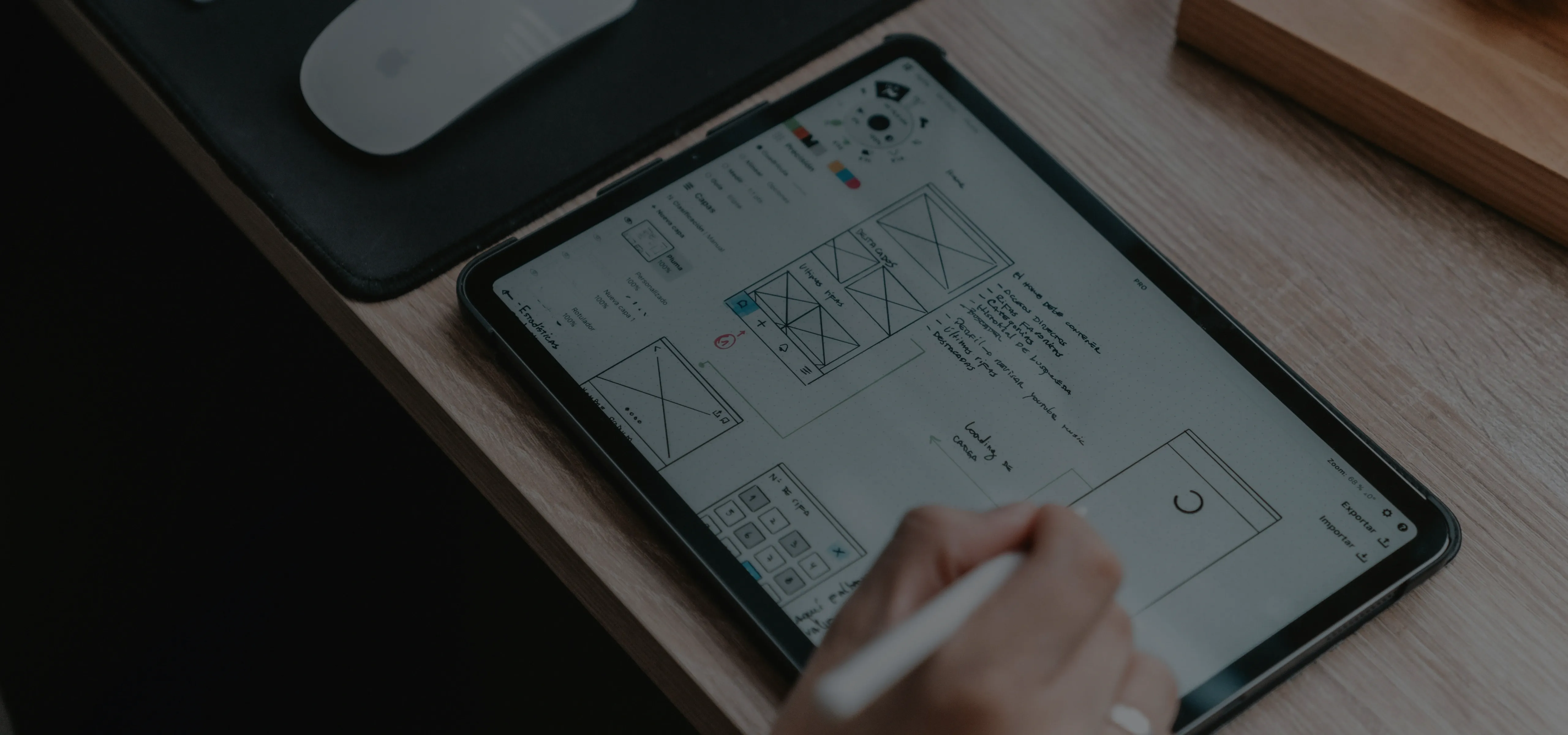
What are UI UX design services: A complete guide for B2B and SaaS in 2026
10 min read
Last updated: Jun 17, 2026
Summary
There's a specific moment every software project hits. The build is mostly done, the team knows the product inside out, and someone opens it for the first time and asks a question that shouldn't need answering. That moment – multiplied across every new user, every sales demo, every enterprise evaluation – is where revenue is lost and support costs are made. UI UX design services are the work that happens before that moment, so it doesn't. This guide covers what that work actually includes, who needs it at which stage, how to structure and price an engagement, and what separates a partner worth hiring from one that will cost more than the project itself.
Key takeaways
UI UX services cover the full product lifecycle – from first user interview to post-launch optimization. Not just screens.
B2B software is evaluated by a committee and used by people who had no vote. Design has to work for both.
The gap between how a product feels to the team that built it and how it feels to a new user – that's where deals are lost.
Four engagement models: team extension, fixed-price, dedicated pod, audit-only. Wrong choice costs more than the redesign.
A design system is infrastructure, not a deliverable. It's what keeps the product consistent as the team scales.
No metrics in case studies. Junior execution. Screens without documentation. These are the red flags that matter.

Igor Buturlia
Head of Design Studio
What are UI UX services? Definition and scope
Most companies think they're buying screens. A few think they're buying a process. The ones who've shipped a product that actually works know they were buying decisions – about what users need, how the product should be structured, and where the logic breaks down before engineering touches it.
That's what UI UX design services actually cover. Not just the visual layer – the full cycle from first user interview to post-launch optimization. The scope breaks into six areas:
User research – talking to real users, watching how they interact with the product, and analyzing their behavior. The goal is to make design decisions based on real data, not guesswork.
Information architecture (IA) – deciding what goes where. How content is organized, what things are called, and how users move through the product.
Wireframing and prototyping – sketching out the structure of screens before any visual design begins. Think of it as a blueprint you can actually click through and test.
UI design – the visual layer: typography, colour, spacing, and how every button, input, and component looks and behaves.
Design systems – a shared library of reusable components and rules that keeps the product looking and working consistently, no matter how many people are building it.
Handoff and iteration – packaging everything for the development team, then measuring what happens after launch and improving based on real data.
Difference between UI and UX design
Ask ten people in a room what UI and UX mean, and you'll get twelve answers. Here's the one that actually matters operationally.
UX design is about structure: what the product lets users do, in what order, and how much mental effort it takes. UI design is about surface: how that structure looks and feels – the typography, colours, icons, and motion that users actually see and interact with.
The two disciplines are often treated as interchangeable – or worse, sequential. That's why most UI UX design services worth hiring deliver them together, not in relay. Steve Krug, in Don't Make Me Think, frames the failure mode precisely: the moment a user has to stop and figure out what a button does, the interface has already failed – no matter how good it looks. How something looks is shaped by how it's structured. Split the two into separate teams or separate phases, and the cracks show.
What full-cycle design actually includes
A full-cycle UI/UX service runs through seven stages, each gating the next. Skip one and you'll pay for it two stages later:
1. Discovery – get everyone aligned on what the product needs to do, who it's for, and what success looks like.
2. Research – talk to users, dig into analytics, review the competition; build a factual foundation before any design decisions are made.
3. Wireframes – sketch out the structure of screens in rough form; no color, no polish – just logic, tested early while changes are cheap.
4. UI design – turn the structure into finished screens: exact visuals, every component state, every screen size.
5. Prototype – make it clickable, test how real users navigate it before a single line of production code is written.
6. Handoff – package everything for the development team: annotated specs, Figma files, documentation, assets.
7. Iteration – measure what happens after launch, find what isn't working, and improve it based on real data.
The practical value of running all seven stages: decisions made in research are traceable to decisions in the final UI. As Don Norman argues in The Design of Everyday Things, systems should make correct actions obvious and errors difficult to commit. An end-to-end UI UX design service is what makes that principle operational, rather than aspirational.
When to bring in a design team: use cases by stage and industry
"We'll handle design internally" is one of the more expensive sentences in product development. It usually means developers make interface decisions under deadline pressure, with no user data, and no one accountable for whether the result actually works for the person using it.
The real question is not whether you need design. It's where the product is bleeding right now – and what kind of UX design services stops it.
The table below maps the complete range of situations where UI UX design services make a measurable difference – from pre-seed greenfield products to enterprise AI-feature rollouts. Use it as a reference when scoping an engagement or evaluating whether a specific design problem warrants external expertise from a user experience agency. B2B contexts in particular follow patterns distinct enough to warrant their own breakdown – see our guide to UI UX design services for B2B companies if that's where your product lives.
Pre-seed / Greenfield product
Core UX problem
No validated assumptions. Risk of building the wrong thing entirely.
Role of design
Define user needs, map core flows, prototype the riskiest interaction before any code is written.
Timeline (2026)
1-2 weeks
Early MVP / First release
Core UX problem
Structure built on founder logic, not user logic. Onboarding breaks at step one.
Role of design
UX validation: user interviews → corrected flows → tested prototype. AI tools compress the mechanical work; expert judgment shapes the decisions.
Timeline (2026)
1-3 weeks
Growth SaaS / Onboarding & activation
Core UX problem
Trial-to-paid conversion below benchmark. Users reach the product but don't reach value.
Role of design
Funnel audit + session analysis → identify drop points → redesign the specific flow.
Timeline (2026)
1-2 weeks
Growth SaaS / Feature adoption
Core UX problem
New features ship but don't get used. Product complexity grows faster than user understanding.
Role of design
UX audit of feature discoverability + redesign of in-product signposting and progressive disclosure.
Timeline (2026)
2-4 weeks
Scale-stage / Multi-persona product
Core UX problem
One interface, three user types with conflicting needs. Admin, end user, and executive dashboard all feel like different products – badly.
Role of design
Role-based UX architecture: separate flows, shared design system. Ensures each persona reaches their goal without navigating for the other two.
Timeline (2026)
6-12 weeks
Scale-stage / Design system build
Core UX problem
Engineering and design maintaining parallel versions of the same components. Every new feature creates inconsistency.
Role of design
Tokens, components, Storybook integration, usage documentation. Cuts new feature dev time by 30-50%.
Timeline (2026)
4-10 weeks
Enterprise B2B / Legacy migration
Core UX problem
Users have years of muscle memory in the old system. Adoption risk is high; productivity loss during transition is measurable.
Role of design
Continuity-first redesign: map existing mental models, preserve critical workflows, sequence the rollout. No generative AI tool can substitute for this mapping.
Timeline (2026)
12-24 weeks
Enterprise B2B / Internal tooling
Core UX problem
Employees at companies with poor intranet usability spend nearly twice as many hours per year on routine tasks as those with well-designed systems (Nielsen Norman Group).
Role of design
Internal UX audit + redesign focused on task completion rate, error reduction, and time-on-task. ROI is measurable in productivity data.
Timeline (2026)
2-16 weeks
Enterprise / AI-feature integration
Core UX problem
AI features shipped but users don't trust or understand them. "What did it just do?" is appearing in support tickets.
Role of design
UX for AI: explainability patterns, confidence indicators, human-override flows. In 2026, this is a procurement requirement, not a differentiator.
Timeline (2026)
3-8 weeks
Any stage / Post-launch UX audit
Core UX problem
Product is live but underperforming. No one knows exactly where or why.
Role of design
Heuristic evaluation (Nielsen's 10 principles) + analytics + session recordings → prioritized improvement roadmap ranked by impact and implementation cost.
Timeline (2026)
1-2 weeks
Any stage / Pre-investment or pre-launch
Core UX problem
Stakeholders, investors, or buyers need to evaluate the product before it's fully built.
Role of design
High-fidelity interactive prototype + documented UX rationale. Faster to produce than an MVP, more credible than a deck.
Timeline (2026)
1-3 weeks
B2B and SaaS companies: why UX matters most
B2B software is bought by committees and used by people who had no vote in the purchase. That creates two distinct UX problems running in parallel – and in 2026, a third one has joined them.
The buyer-side problem. During evaluation, the product must communicate capability, reliability, and low implementation risk to a CTO, a CFO, and a procurement manager simultaneously. Each reads different things from the same interface. An interface that impresses technically but raises questions for the CFO loses deals at the procurement stage. This is where UI UX design services for B2B companies do work that generic product design simply doesn't account for.
The user-side problem. Once the contract is signed, the people working in the product daily did not choose it. Interface friction becomes a support cost and an HR problem – not a design complaint.
The AI-features problem. AI-assisted functionality now appears in nearly every B2B product category. UX that explains what an AI feature does, where its outputs can be trusted, and what the user is responsible for verifying is no longer a differentiator. It is a procurement requirement.
Startups vs enterprise: different engagement patterns
Startups need a short, prototype-heavy engagement that answers one question fast: does this structure make sense to the people we're building for? Team extension or fixed-price MVP scope fits here.
Enterprise engagements run on a different axis. The stakeholder map is complex, and the constraint extends beyond "does this work" to "does this work within our compliance requirements, existing infrastructure, and change management capacity." A full enterprise redesign typically involves design system work that outlasts the initial engagement by years.
Whether you're shipping an MVP in three weeks or migrating ten thousand enterprise users, the UI UX design services that drive the outcome are the same. Let's look at what they actually produce.
What deliverables should a UX design agency provide?
This is where proposals get vague fast. "We deliver a complete design" covers everything from a Figma file with five screens to a fully documented system that an engineering team can build from independently. The difference matters – not just for the project, but for everything that comes after it.
Seven deliverables define what a competent UI UX company produces. Not every project requires all seven. But a partner who can't produce any of them on request is working at reduced capacity – and you'll find out at the worst possible moment.
1. User research report
A research report documents the methods used, the questions they were designed to answer, the findings, and the design implications. Not a transcript of what users said – an analysis of what their behavior reveals. As Erika Hall writes in Just Enough Research, 2019, the key discipline is matching research type to the specific design question: generative research asks what problem we're solving; evaluative research asks whether this solution works. Running the wrong type at the wrong stage is a reliable way to spend three weeks and learn nothing actionable.
2. Wireframes
Low-fidelity structural layouts: what goes where, in what hierarchy, connected to what. Made at low fidelity deliberately – high-fidelity wireframes invite feedback on color and font before the structure is resolved, which wastes time and muddies decisions. This is where information architecture becomes visible and testable at low cost – and where experienced UI UX design services teams refuse to skip ahead, no matter how tight the deadline.
3. High-fidelity UI design
Hi-fi screens are the final visual blueprint the engineering team builds from: exact fonts, colours, spacing, and every state a component can be in — default, hover, active, disabled, error. They also cover how the layout adapts across screen sizes. Screens delivered without this detail look right but get built wrong — and fixing that later costs more than doing it properly upfront.
4. Interactive prototype
A clickable prototype – built in Figma, ProtoPie, or equivalent – enables user testing before a line of production code is written. Don Norman, in The Design of Everyday Things, makes the underlying principle explicit: systems should make correct actions obvious and errors difficult to commit. A prototype is the point at which you can test whether that's actually true, without paying engineering rates to find out it's not.
5. Design systems and UI component libraries
A design system is a shared library of UI components, design tokens (color, spacing, typography scales), interaction patterns, and usage documentation – and one of the most underleveraged deliverables in UI UX design services engagements. Brad Frost, in Atomic Design, formalized the component hierarchy most modern systems follow: atoms, molecules, organisms, and templates – and the hierarchy stuck because it maps cleanly to how engineering teams actually think about components. In practice, what matters most isn't the naming convention. It's the shared source of truth: when design and engineering work from the same system, new feature development moves 30-50% faster. When they don't, every sprint starts with a small tax that compounds quietly until someone notices the product looks different in every browser.
Storybook integration – connecting design system components to working code – keeps the library synchronized with production rather than allowing the two to diverge over time. Standard in any serious front-end engagement.
6. Handoff package
Annotated screens, component specifications, a style guide, asset exports, and interaction notes covering every edge case. A handoff done poorly produces a product that looks like the design but behaves differently. A handoff done well means developers can build without scheduling a designer for every question about what happens in an error state or on a tablet at 768px.
7. UX audit and post-launch optimization
A UX audit conducted 4-8 weeks after launch compares intended behavior with actual behavior. It produces a prioritized improvement roadmap ranked by user impact and implementation cost. Thomas Tullis and Bill Albert, in Measuring the User Experience, provide the statistical framework for making audit findings defensible: task completion rates, time-on-task, error rates, and the sample sizes required for significance. Without this step, UI UX design services deliver a product, not a cycle – and the product calcifies around assumptions that production data would have corrected in week six.
Seven deliverables on the table. The next decision is how to structure the engagement around them. Here's how UI UX services create business outcomes:
Discovery
Key deliverable
Business goals map, requirements alignment
Operational effect
Shared understanding of users, constraints, priorities
Business result / ROI
Fewer strategic mistakes, better product direction
Research
Key deliverable
User research report, behavioral insights
Operational effect
Decisions based on evidence instead of assumptions
Business result / ROI
Reduced rework costs, higher product-market fit
Information architecture & wireframes
Key deliverable
User flows, sitemap, low-fi wireframes
Operational effect
Clear structure and navigation logic
Business result / ROI
Lower change-request volume during development
UI design
Key deliverable
High-fidelity UI screens and states
Operational effect
Consistent, intuitive interface
Business result / ROI
Higher conversion, trust, and usability
Prototype
Key deliverable
Interactive clickable prototype
Operational effect
Problems detected before engineering starts
Business result / ROI
Faster validation, lower development waste
Design system
Key deliverable
Component library, design tokens, Storybook integration
Operational effect
Consistency across teams and features
Business result / ROI
Faster development cycles, lower maintenance costs
Handoff
Key deliverable
Annotated specs, assets, documentation
Operational effect
Less ambiguity for developers
Business result / ROI
Faster implementation, fewer QA issues
Iteration & UX audit
Key deliverable
Post-launch audit and optimization roadmap
Operational effect
Continuous improvement based on real usage data
Business result / ROI
Higher retention, long-term growth, better ROI over time
UI UX engagement models explained
There's no universal model that fits every product, stage, and team. What there is: four options, each with a specific context where it works and a specific context where it doesn't. Picking the wrong one is one of the more reliable ways to run a project that produces good design and bad outcomes. If you're not sure whether you need execution or just a diagnosis, UI UX consulting services is worth reading before you decide.
Team extension: when you need in-house-like designers
Designers join the existing product team – attending standups, working in the same tools, operating within the client's process. This model works when a defined product direction and an active engineering team exist, but design capacity is the gap. It's the lowest-friction model for ongoing work and the slowest to start: onboarding a designer into an existing team takes 2-4 weeks before full output is reached. NDA and IP assignment are standard; all work product belongs to the client.
Fixed-price projects: for defined scope
Works when scope is specific and stable: a new onboarding flow, a redesign of one product area, a UI UX design services engagement with a clearly bounded deliverable set. The model's primary risk is scope change – a well-defined brief that expands mid-engagement is the main driver of timeline and budget overruns. Mitigation: a detailed discovery phase before pricing is finalized, with a formal change-order process for anything outside the agreed scope.
Dedicated design pod. A small cross-functional team – typically a UX lead, UI designer, and researcher – embedded for a multi-month engagement. Fits complex redesigns or new product builds where the design work is substantial but the client doesn't want full-time headcount. The pod operates semi-autonomously and reports to the client's product leadership.
Consulting and audit only. A diagnosis without execution. The engagement produces a heuristic evaluation, an analytics review, and a prioritized improvement roadmap. Right fit when internal design capacity exists but an external perspective is needed – or when a product is underperforming and the cause needs to be understood before a larger commitment is made.
Well, model selected. The next question every decision-maker asks is the same: what does this actually cost?
How much do UI UX design services cost in 2026?
Pricing in this market is genuinely opaque – most agencies don't publish rates, and "it depends" is the honest answer to most questions. That said, the market does leave data trails.
Two sources give the clearest picture for what UI UX design services actually cost in 2026: Clutch – the largest B2B agency review platform, aggregating verified client data – and Designmonks' annual pricing analysis, which covers the full range from freelancers to full-service agencies. Their data aligns closely enough to use as a working reference.
One number that rarely appears in agency proposals but anchors the whole conversation: Designmonks notes that in-house designers at US companies cost $90k-$130k annually – roughly $40-$65/hr once benefits and overhead are factored in. Everything above that threshold in an agency quote reflects team infrastructure and process. Everything well below it reflects something else.
The table below pulls the key benchmarks together (UX/UI design pricing benchmarks – 2025-2026).
Service Category | Typical pricing* |
|---|---|
Median UX/UI agency hourly rate | $25-49/hr |
Senior / Lead UX/UI designers | $100-200/hr |
Specialized experts (UX research, accessibility, motion design) | $150-300/hr |
Full-service UX/UI agencies | $100-250/hr |
End-to-end UI/UX project budget | $10,000-200,000+ |
Typical project engagement length | 3-10 months |
In-house US designer cost equivalent | $40-65/hr |
Ok, ranges in hand. Now – how do you evaluate the partner behind the quote before you sign anything?
How to choose a UI/UX design partner: 7 criteria
Every user experience agency website looks the same: great portfolio, senior team, collaborative process. The actual signal is in what they can't fake – measurable outcomes, specific people, and a process that holds up when you ask concrete questions about it.
Seven criteria separate a partner worth hiring from one that will cost more than the engagement:
1. Portfolio in your domain
A firm that has designed logistics software understands warehouse managers on mobile devices in low-light conditions. General breadth is less useful than relevant depth.
2. Measurable outcomes in case studies
The case study should state a metric: conversion rate before and after, task completion time, error rate, support volume. No metrics means the work wasn't evaluated – or the results weren't worth citing.
3. Process transparency
A credible partner describes their design process in concrete terms: research methods used, how decisions are validated, how stakeholder disagreements are resolved. Vague language about "collaborative work" is a reliable signal that a documented process doesn't exist.
4. Team seniority
Ask who specifically will do the work. Firms win contracts with senior presentations and execute with junior designers. When evaluating UI UX design services providers, request the portfolios of the people assigned to your project – not the firm's general showcase.
5. Communication cadence
Async-first or sync-heavy? Weekly reviews or daily check-ins? The right answer depends on your team's working style. The partner should have a clear default and the flexibility to adapt.
6. NDA and IP clarity
All work products – research artifacts, wireframes, Figma files – should be assigned to the client at project end. Verify this is explicit in the contract before signing, not assumed.
7. Post-launch support
A partner who disappears after delivery leaves the client unable to interpret production data through the lens of the original design decisions. Confirm whether post-launch audit support is included or available as an add-on.
Seven things to look for across any UX design service. Here's what the opposite looks like – and why it's worth knowing before you're halfway through a project. For a deeper guide on how to shortlist candidates before you get to this stage, see how to pick a UI design company.
Common pitfalls and red flags when outsourcing UI UX design
Most outsourcing mistakes don't announce themselves upfront. They show up in week six, when the timeline slips, or at handoff, when the engineering team opens the Figma file and finds fifty screens with no component documentation. It's a pattern consistent enough across UI UX design services engagements that it has its own name: the silent handoff failure. Here's what to screen for before the contract is signed.
No measurable outcomes in case studies. The most reliable signal that a firm sells aesthetics rather than results. Work that didn't produce a measurable improvement in user behavior is decoration – regardless of how it looks in the portfolio.
Junior-only execution team. Senior principals present, mid-to-junior designers deliver. Mitigate by naming specific team members in the contract and requiring client approval for substitutions above a defined seniority threshold.
Pixel-perfect screens without design system thinking. A handoff of hi-fi screens alone – without component documentation, interaction states, or a token system – creates engineering debt from day one. The first product update begins to diverge from the design because there's no shared source of truth to build from. This is the most common gap in UX design services that price on deliverable count rather than deliverable quality.
No research phase. A firm that moves directly from brief to wireframes is making design decisions without evidence. Research is not a luxury for early-stage products – it's the base that makes design decisions defensible when a stakeholder asks why a flow is structured a certain way.
Scope creep without process. Some scope change is normal. The question is whether the partner handles it formally – change order, impact assessment, revised timeline – or informally, absorbing changes until the project is late and over budget. The absence of a defined change management process in the contract is itself a red flag.
FAQ
What are UI UX design services?
What is the difference between UI and UX design?
How long does a UI/UX design project take?
How much do UI UX design services cost?
How do I choose the best UX design agency for B2B?
What is included in a UX audit?
Conclusion
We’ve covered a lot of ground. Here's what actually matters when a decision is on the table: UI UX design services are worth the investment when the alternative is discovering structural problems after the codebase exists, after the demo fails, or after the first enterprise renewal doesn't happen. The research, the system, the senior judgment – that's what you're buying. The screens are just the evidence that it happened.
Whether you need execution or user experience design consulting to figure out where to start, the answer begins with the same question: what is the product actually costing you right now by not working the way it should?
If that's the kind of engagement you're looking for, this is what Modsen's design principles look like in practice.
References
1.
2.
Norman, Don. The Design of Everyday Things. Revised and expanded ed. Basic Books, 2013.
3.
Hall, Erika. Just Enough Research. 2nd ed. A Book Apart, 2019.
4.
Read more






Get a weekly dose of first-hand tech insights delivered directly to your inbox